Table of Contents
The Scaling Problem in Physical Space
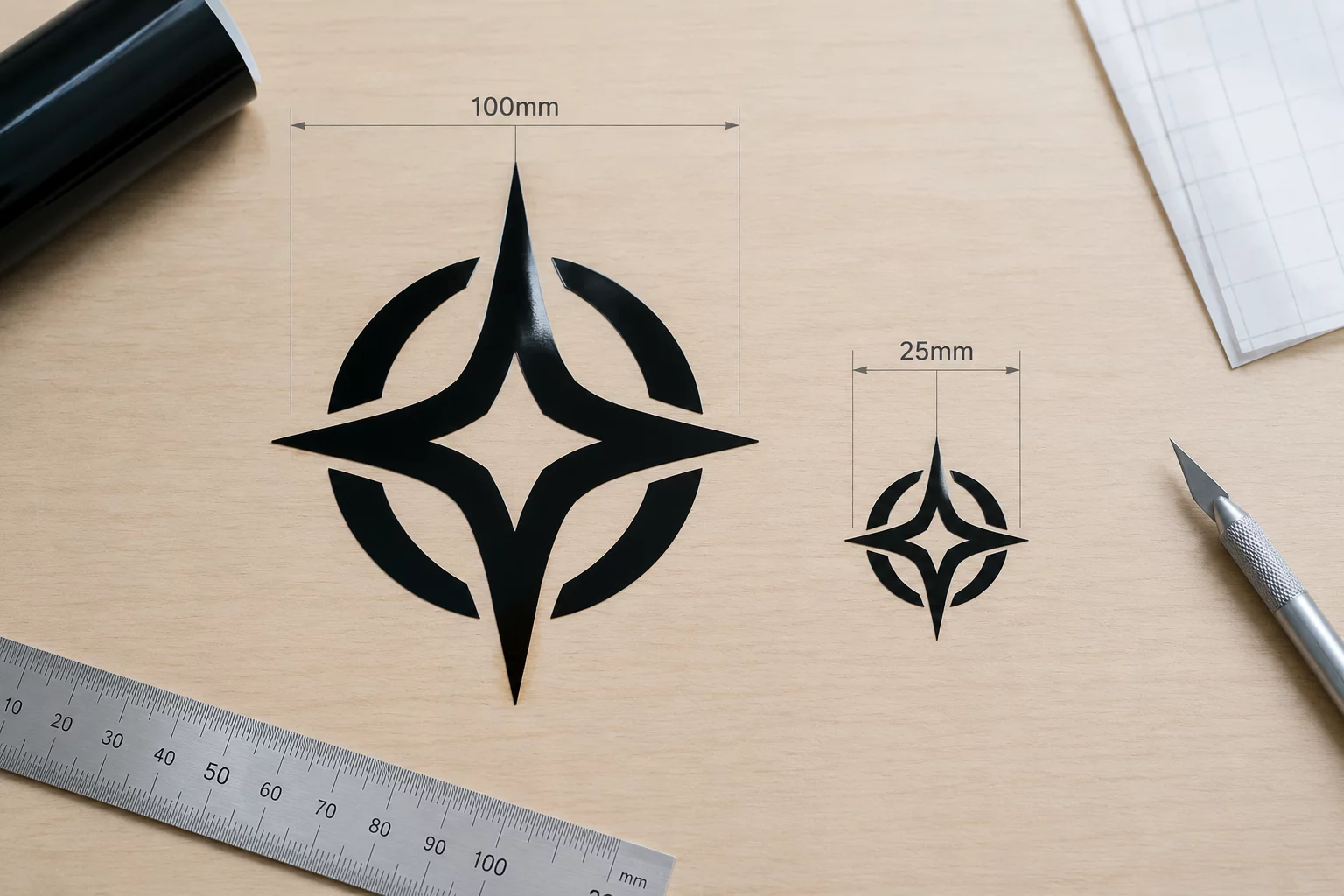
When designing in digital software, shrinking an object from 100 mm down to 25 mm feels instantaneous and consequence-free. Bézier curves rescale with mathematical precision on the monitor. However, physical cutting blades, vinyl plotters, and print rollers operate within fixed mechanical limits that do not shrink along with the vector contours.
At 100 mm, internal negative spaces, delicate loops, and fine typography possess adequate surface area to adhere securely to backing sheets. At 25 mm, those identical spaces become microscopic slits narrower than the cutting blade kerf. The blade begins tearing material instead of separating it, transforming sharp corners into ragged clusters and pulling tiny islands off during weeding.
Measured Tolerance Benchmarks
| Specification Parameter | Verified Tolerance | Standard Threshold |
|---|---|---|
| Minimum Gap Clearance | 0.38 mm verified | 1.52 mm standard baseline |
| Blade Swivel Radius | 0.25 mm fixed tip | 0.25 mm fixed tip |
| Smallest Island Area | 0.9 mm² threshold | 14.4 mm² safe zone |
| Adhesive Contact Ratio | 32% baseline grip | 100% full anchor |
Digital vectors scale infinitely without distortion, but cutting blades have a fixed physical radius. Geometry that works at hand size routinely disintegrates at coin size.
Mechanical Failure Points at 25 mm
Testing the identical graphic across both dimensions reveals three fundamental bottlenecks where mechanical plotters struggle once dimensions drop below 30 mm:
- Blade drag tearing: Because the swivel blade requires physical drag distance to orient its cutting edge, tiny sharp corners under 0.5 mm cause the knife to pivot abruptly, gouging the backing liner.
- Negative space collapse: Parallel cut lines spaced closer than 0.4 mm apart lose adhesion to the carrier paper, resulting in ripped edges during the weeding sequence.
- Node congestion: Excessive anchor points that render smooth curves at 100 mm create microscopic pauses in plotter stepper motors at 25 mm, leaving visible stutter marks along the perimeter.
Solving these issues requires modifying the vector artwork specifically for miniature output rather than performing a simple uniform downscale. Simplification, manual node reduction, and thickening hairline strokes restore mechanical stability.
Production Guidelines for Downscaling
Always create a dedicated small-format variant when reducing designs below 40 mm. Merge micro-openings into solid shapes, eliminate non-essential interior cuts, and increase line weights to at least 0.5 mm. A design optimized for 25 mm retains sharp legibility and cuts cleanly every time.
Technical Cut Specifications
Get weekly field logs, vector optimization tips, and physical dimension charts delivered to your inbox.
Technical Log Observations
Fieldbook Review ChannelGreat comparison!
Submit Observation Note